Shirohane's Animator - PlayStation Node Graphs
The following triggers and parameters can be used to control the Shirohane’s Controller Animator” PlayStation layer via node graphs.
| Name | Type | Operation |
|---|---|---|
| ps_animator_active | Parameter | 1 if the PlayStation Animator is active.0 if the PlayStation Animator is not active. |
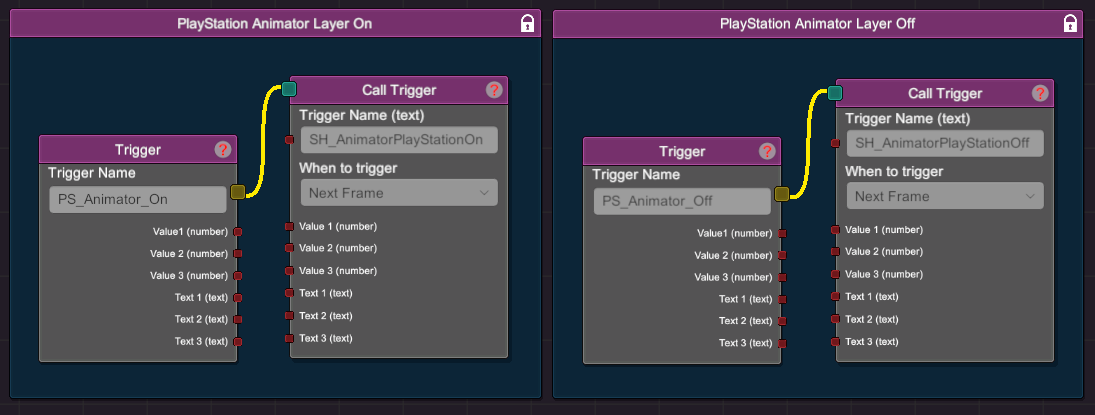
| SH_AnimatorPlayStationOn | Trigger | Turns ON the PlayStation Animation Layer |
| SH_AnimatorPlayStationOff | Trigger | Turns OFF the PlayStation Animation Layer |
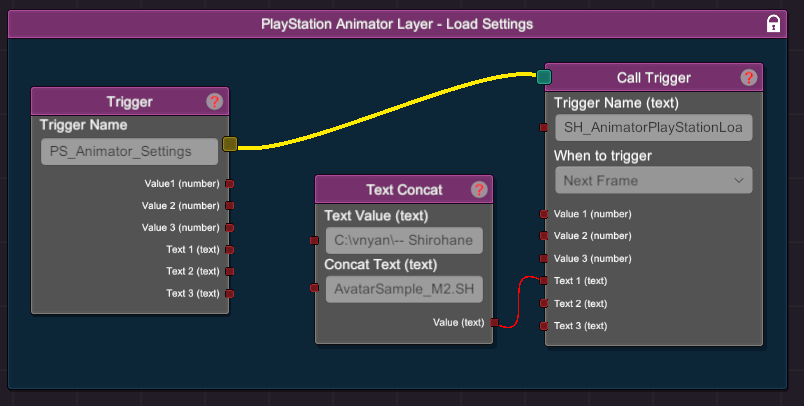
| SH_AnimatorPlayStationLoad | Trigger | Loads the PlayStation Animation Layer settings. Filename must be passed into the text1 option. |
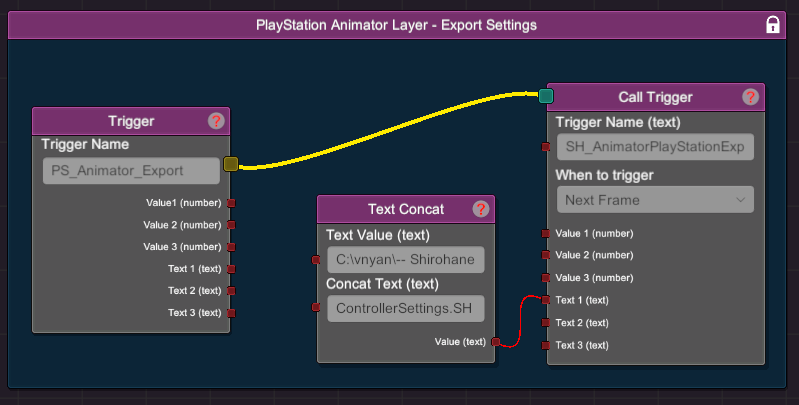
| SH_AnimatorPlayStationExport | Trigger | Saves the current PlayStation Animation Layer settings. Filename must be passed into the text1 option. |
The following node graphs demonstrate how to incorporate the features provided through this plugin:
- Turn on the PlayStation Animation Layer using the SH_AnimatorPlayStationOn trigger. Turn off the PlayStation Animation Layer using the SH_AnimatorPlayStationOff trigger.
- The following node graph shows how to use the SH_AnimatorPlayStationLoad trigger to load a SHPlayStation settings file. In this example a “Text Concat” node is used to pass the path of a SHcontroller file to the “Text 1” trigger.
- The following node graph shows how to use the SH_AnimatorPlayStationExport trigger to save the current mouse settings to a SHPlayStation file. In this example a “Text Concat” node is used to construct a save location, which is then passed into the “Text 1” trigger. The location of the save file does not have to exist, as VNyan will create the necessary directory (provided it has permission to access to the file system).