FAQ
My controller is not being recognized by the “Shirohane’s Controller” plugin or the “Shirohane Controller for Windows” application?
“Shirohane’s Controller” plugin and “Shirohane Controller for Windows” application is designed to be compatible with Xinput, and Playstation (4 and 5) controllers. Support for Switch Pro or Generic Controllers can be achieved by using a Xbox controller emulator such as ds4-windows.
I made a mistake configuring the animator, can I reset the “Shirohane’s Controller Animator” plugin to default settings?
The “Shirohane Controller Animator” saves the configuration settings of each animation layer each time VNyan is opened. The SHXbox, SHPlayStation and SHMouse config files are saved to the “<VNyan Installation Directory>\VNyan_Data\ShiroAnimator” folder.
Delete the SHXbox, SHPlayStation and SHmouse (and bak) files to reset the plugin to the default configuration.
I don’t want to use the UI to activate the plugin every-time I stream. How can I automate the plugin activation?
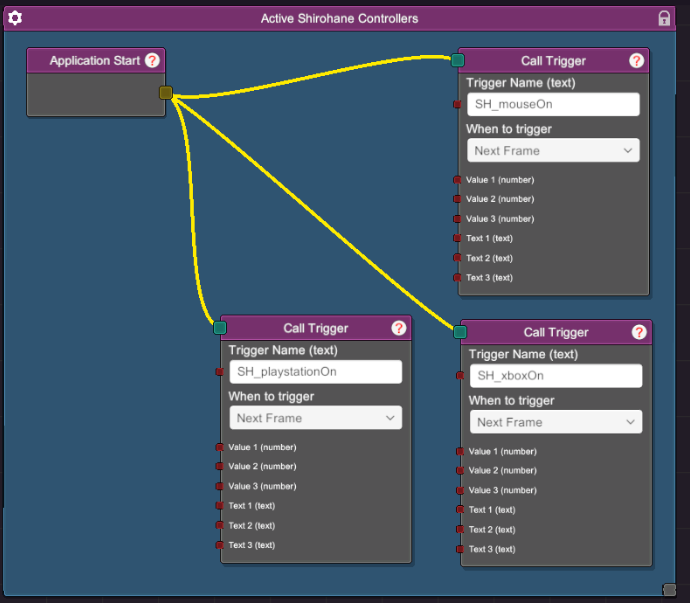
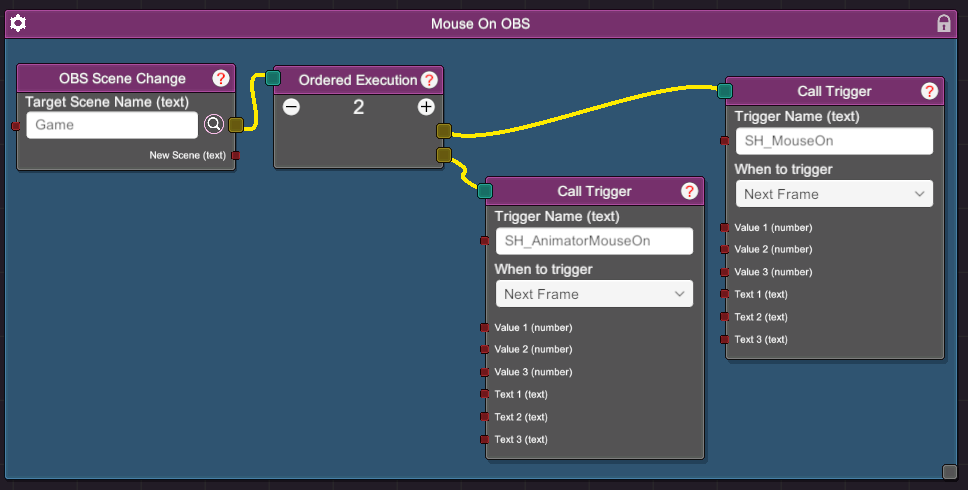
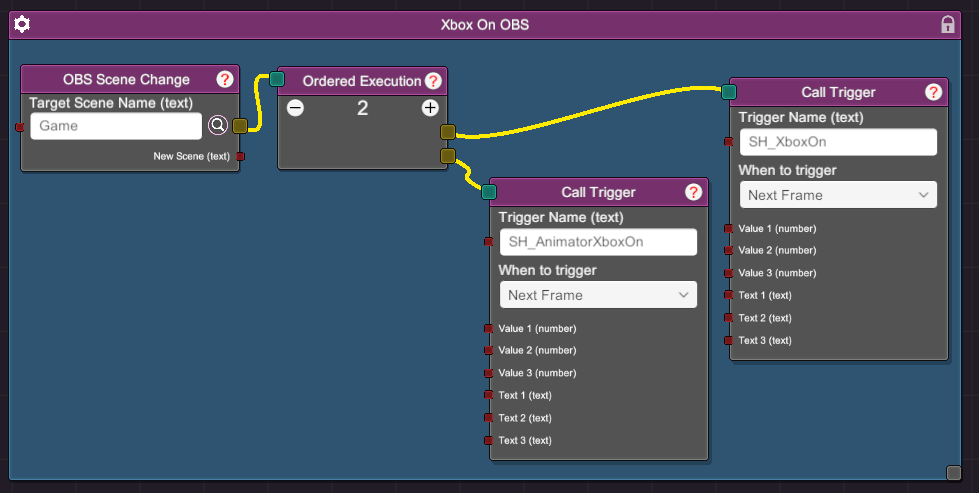
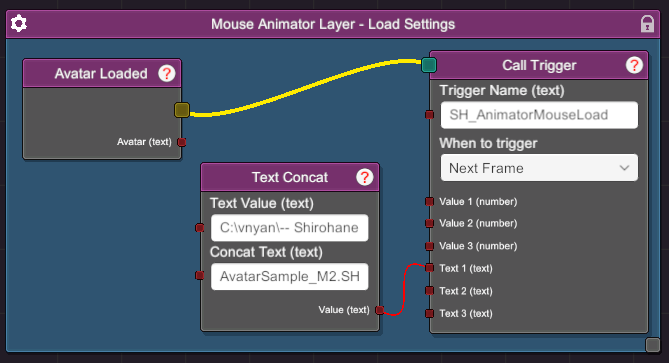
You can use the provided node triggers to automate the activation of the “Shirohane Controller” and the “Shirohane Animator”. Common use-cases include:
- Activate the "Shirohane's Controller" plugin by connecting a SH_mouseOn, SH_xboxOn or SH_playstationOn trigger to a ApplicationStart node.
- Connecting triggers to a OBS Scene Change node in order to start the plugin when transitioning to your gaming scene.
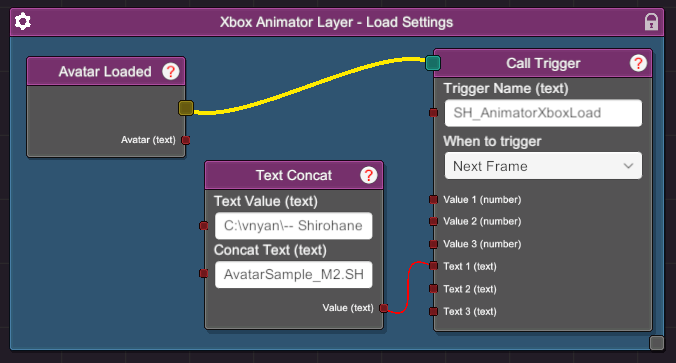
- Connecting a SH_AnimatorMouseLoad, SH_AnimatorXboxLoad or SH_AnimatorPlayStationLoad trigger to the Avatar Loaded node in order to change the animator configuration along with your avatar.
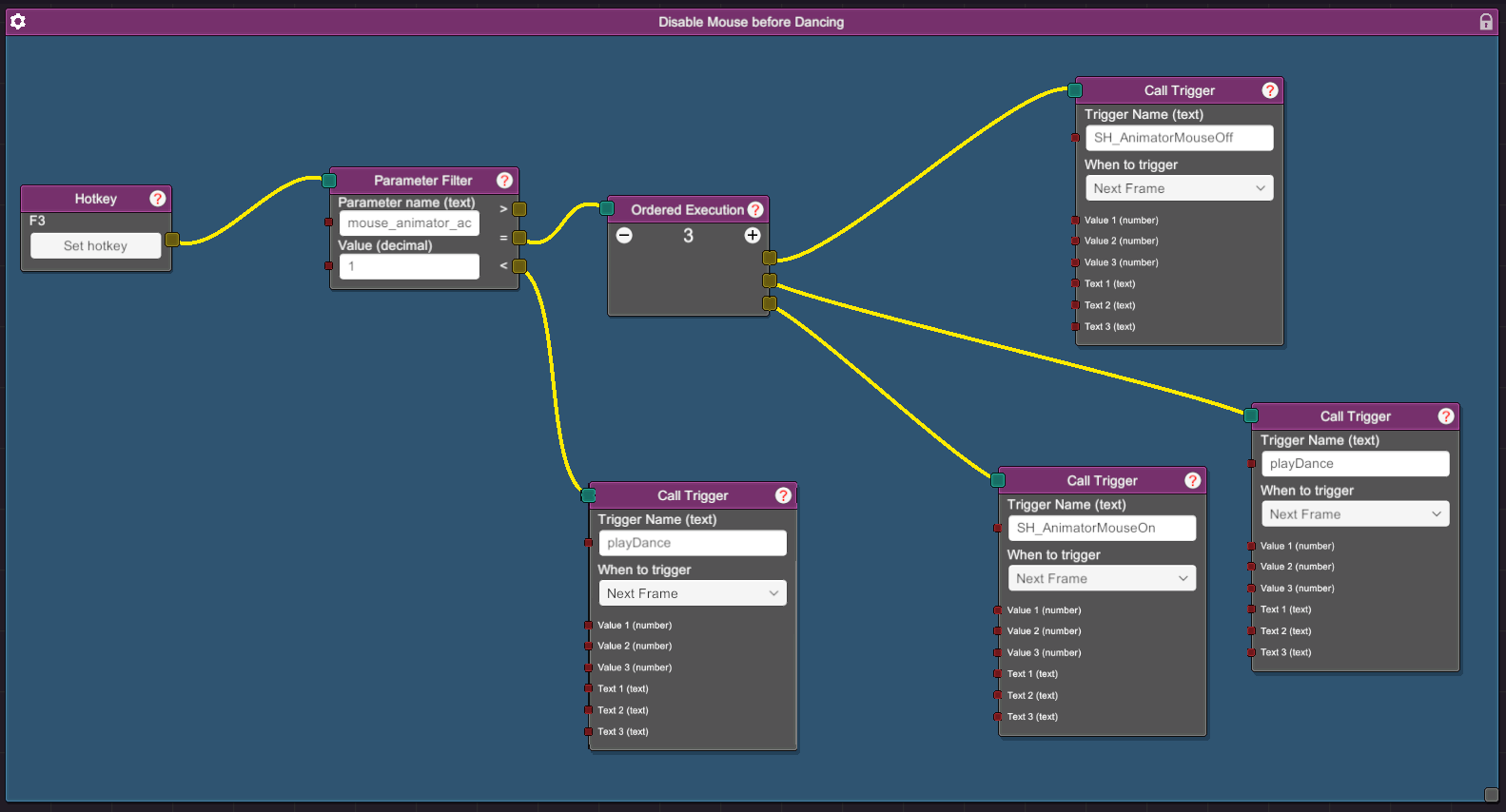
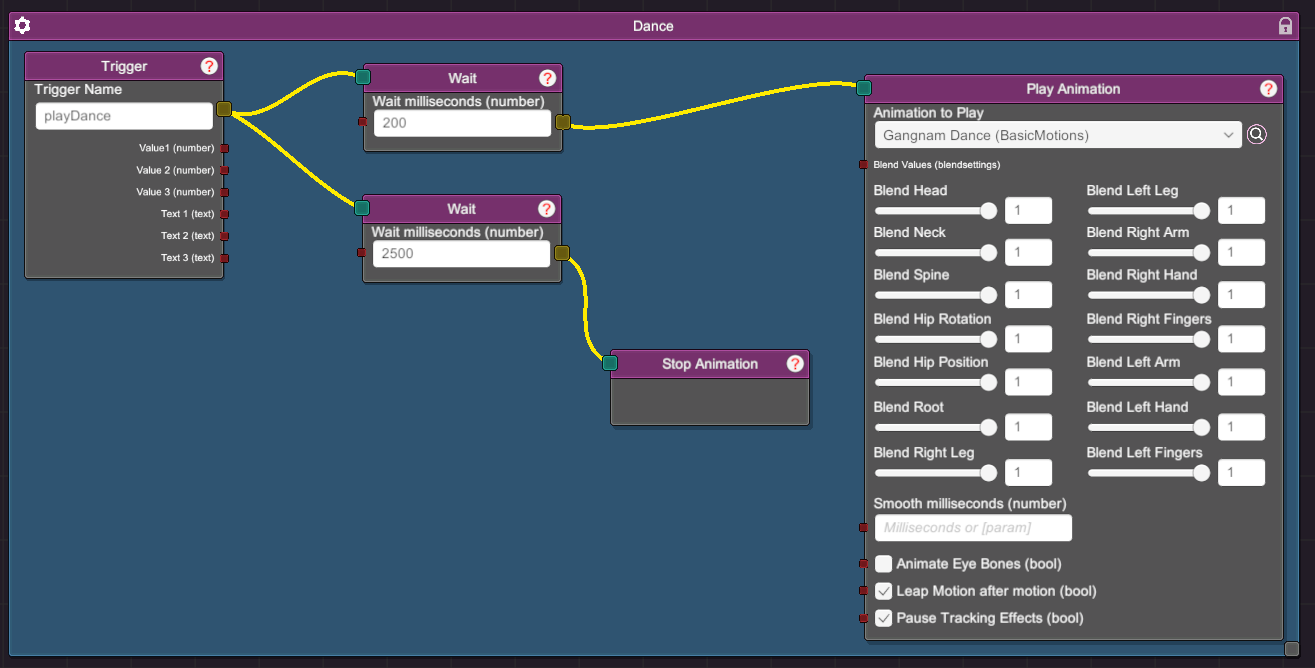
- Disable the active animation layer before playing a dancing animation.